What's New at Scaneat
Discover the new features we've added to Scaneat.
Scaneat is constantly evolving to help you save time and enhance your customers’ experience. Explore the latest features added to your QR code menu, listed from the newest to the oldest.
Advanced QR Code Customization
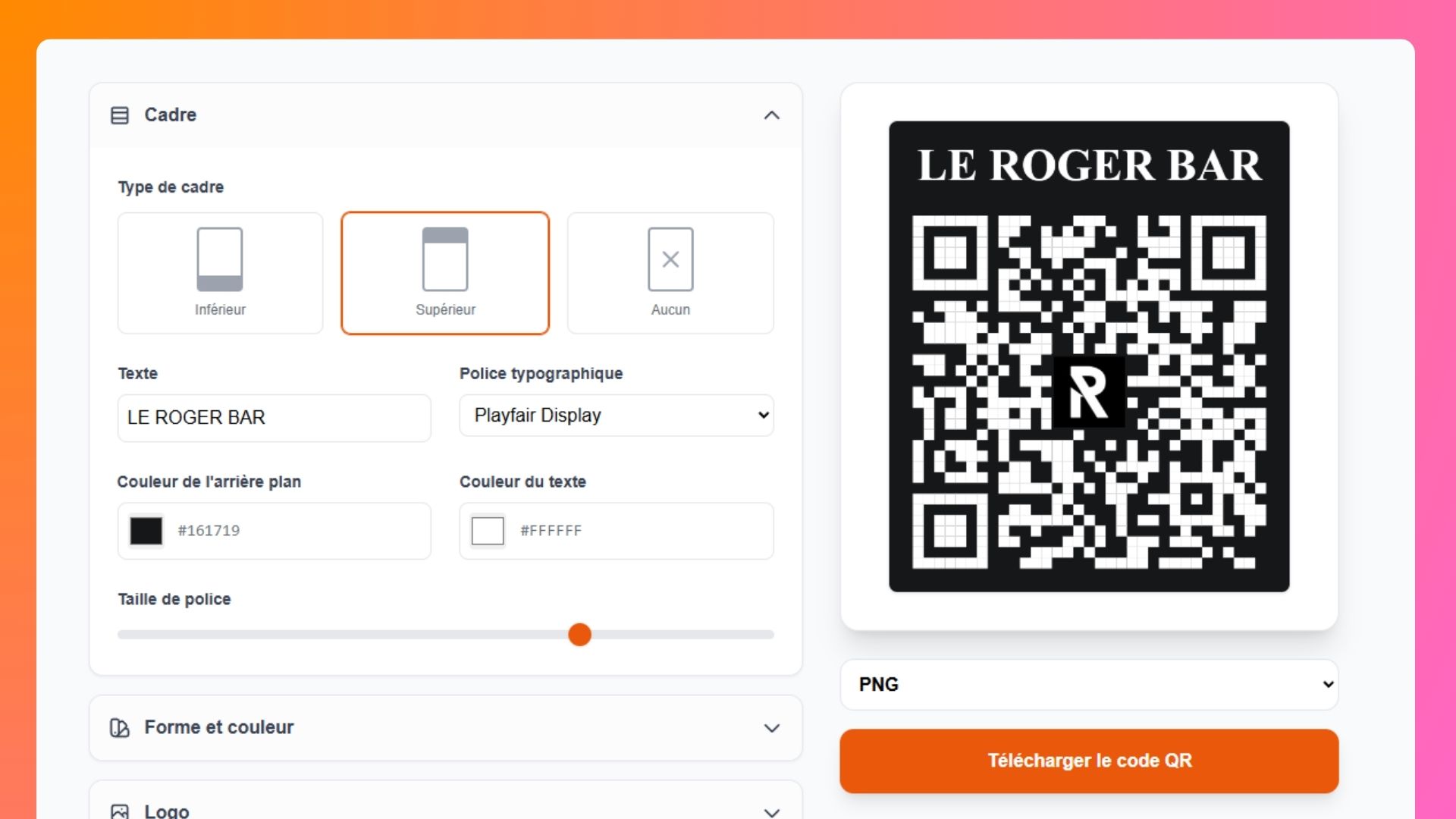
The latest Scaneat update brings major improvements to the QR Code feature. The entire QR Code section has been redesigned, allowing you to fully customize it and create a unique style that matches your restaurant's brand identity.
You can now take advantage of several new customization options, including:
- Add custom text to the top or bottom frame
- Insert your logo directly into the QR Code
- Customize the colors of every element (frame, QR Code, and text)
- Download your QR Code in multiple formats: PDF, PNG, and WebP
No matter how you customize your QR Code, its URL will always remain the same.
Explore this feature and many more on our Features page.
Download Your Menus as PDF
Simplify Ordering with the Smart Cart
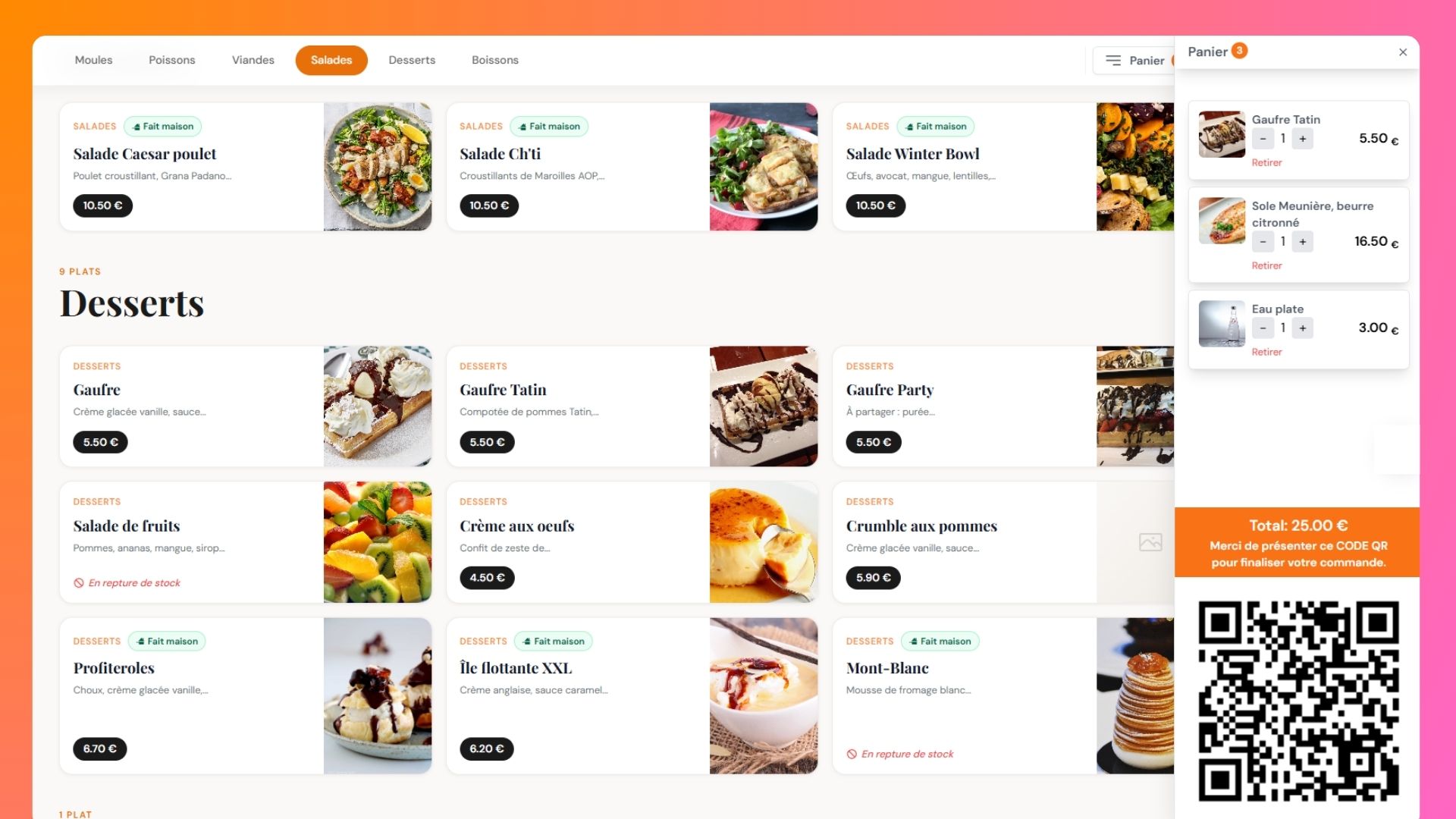
Give your customers a seamless ordering experience with the Smart Cart feature. They can select the dishes they want, add them to their cart in just a few clicks, and generate a QR code containing their order summary and total amount.
They simply present this QR code to a server or at the checkout to quickly finalize and pay for their order.
This feature is available with all our plans—check out our pricing to learn more.
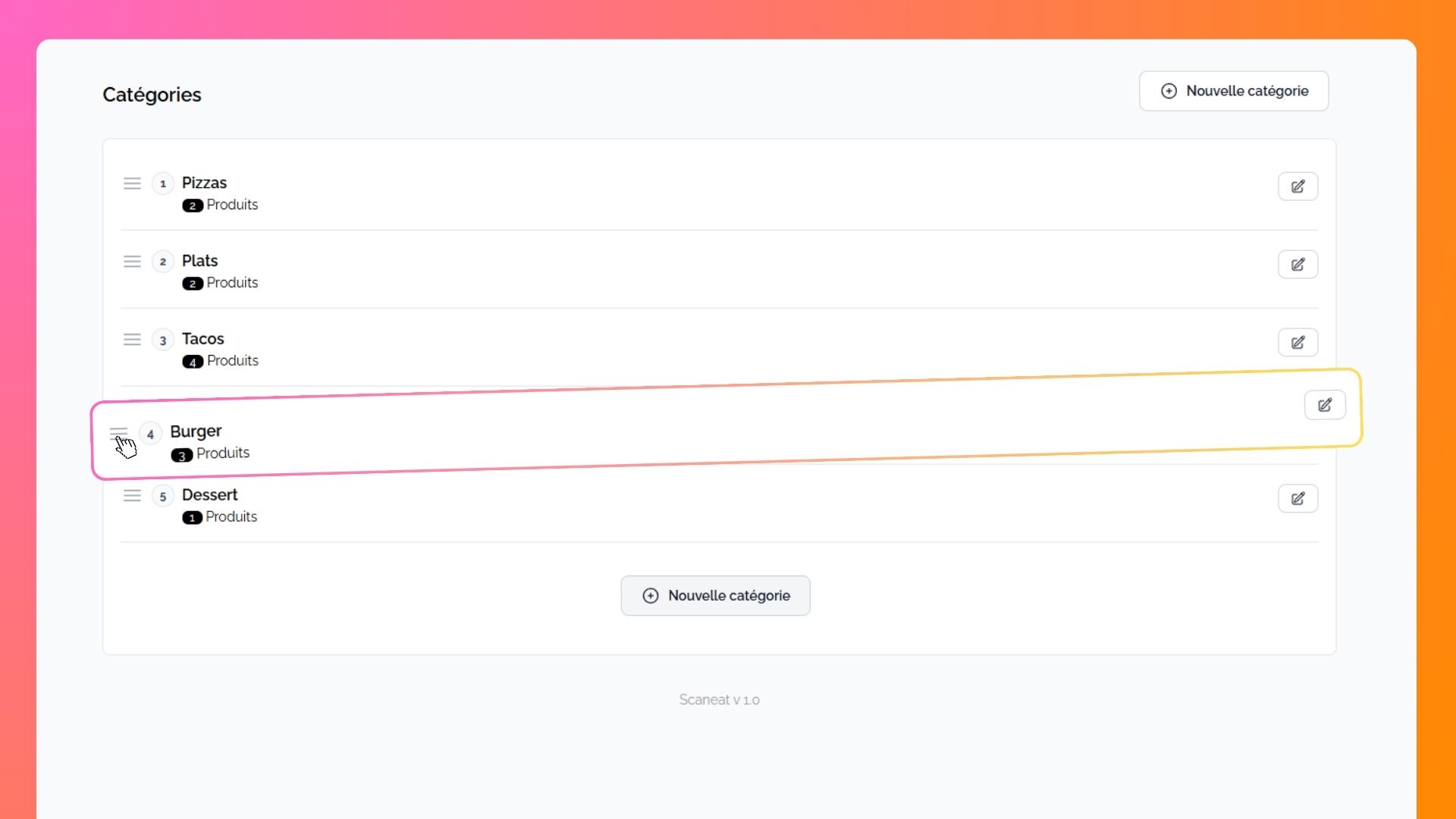
Organize Your Menu with Complete Freedom